
- Church Management
What is Church Management Software? A Complete Guide for Pastors and Church Administrators
Understand church management software, its key features, benefits, and how it helps churches streamline operations and support member growth.
- shares
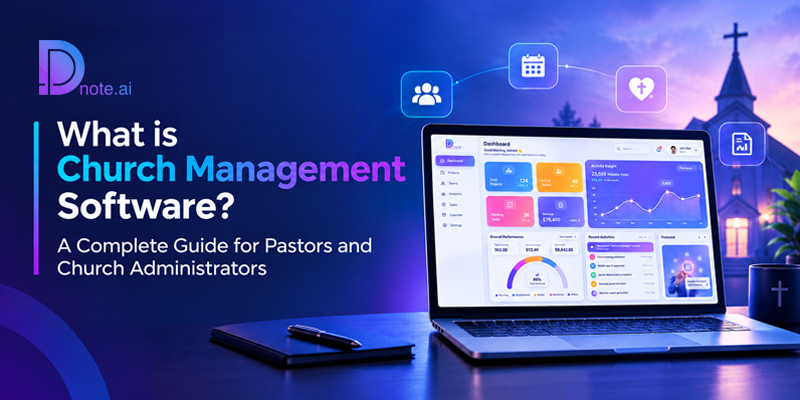
Table of Contents
- Introduction
- What is Church Management Software?
- Why Churches Need a Church Management System
- Core Features of Church Management Software
- Church Management Software vs. Ministry Management Software
- How to Choose the Right Church Management Software?
- Common Mistakes When Adopting Church Management Software
- How Dnote.ai Approaches Church Management
- Conclusion
- Frequently Asked Questions
Introduction
Church management software is a digital platform that assists churches in managing member records, monitoring attendance as well as donations, communicating with congregants, and completing daily operations within one secure platform. This solution eliminates the use of scattered spreadsheets, disconnected apps, and registers by providing one simple source of information the pastor, administrators, and ministry leaders can work with.
If you are in charge of a church, you already know that ministry is about people, not paperwork. However, running the administrative side of a church can take up too much time. This article talks about what a church management service is and what it includes, who requires such a service, and how to pick up the right service for your church.
What is Church Management Software?
Church management software is also referred to as a church growth tool. It is a cloud-based application specifically made for managing church operations. It is different from a common database or accounting system because it knows the specifics of how a church operates. Church management software operates with families instead of individuals, tithes and offerings instead of sales, small groups instead of departments, and pastoral care instead of customer service.
A complete system typically brings together six areas of work:
- People: member, family, visitor, and volunteer records.
- Attendance: check-ins for services, events, and small groups.
- Giving: tithes, offerings, pledges, and receipts.
- Communication: messages sent by WhatsApp, SMS, and email.
- Groups and care: small groups, prayer groups, and follow-up.
- Administration and reporting: roles, branches, documents, and dashboards.
The goal is not to make a church more corporate. The goal is to remove the manual work that keeps pastors and staff away from the people they serve.
Why Churches Need a Church Management System?
Most churches start with basic tools: a notebook for attendance, a spreadsheet for member contacts, and a WhatsApp group for announcements. If the congregation is small, these tools work well. As the church grows, problems arise.
Records become inconsistent. If contact details are spread across a number of spreadsheets managed by different people, no one knows which version is the right one. Duplicate families, old phone numbers, and no new members.
Giving is hard to track accurately. Tithes, offerings, mission funds, and building funds often come through different channels and different bank accounts. Without a system in place, monthly reporting can take hours, and mistakes will erode trust.
Follow-up depends on memory. A member who stops attending, a visitor who came once, a family going through a difficult season: in a larger congregation, these people can be missed just because there’s no system to identify them.
Communication is scattered. There are several channels for announcements and no record of who got what. Cards for birthdays and anniversaries are personal notes that someone has to remember to send.
Leadership lacks visibility. Ministries, budgets, and staffing are determined by pastors and boards. Without reliable data on attendance trends, giving patterns, and group participation, those decisions are made on impressions rather than facts.
A church management system addresses all these problems by keeping the information in one place, keeping it current, and making it easy to act on. Well used too, it is a practical church growth tool, as leaders can see who is coming, who is drifting, and where care is needed.
Core Features of Church Management Software
Features vary between platforms, but the following capabilities form the foundation of a strong system.
Member and Family Management
The member database is the heart of the system. A good platform stores individual profiles, links them into family units, and records details such as contact information, important dates, ministry involvement, and membership status. It also supports visitors, partners, and volunteers, so every person connected to the church has a place in the record.
Look for flexible search and filtering and role-based access so each team member sees only what their responsibilities require.
Church Attendance Tracking
Attendance is one of the clearest indicators of congregational health. Software can record attendance for Sunday services, midweek meetings, conferences, and small groups. Modern platforms are moving beyond manual registers toward faster check-ins and analytics that highlight patterns, such as members whose attendance has declined or groups that are growing steadily.
Church Donation Management
Giving features allow a church to record tithes, offerings, pledges, and special contributions and to issue receipts. Strong systems let you categorize gifts by fund, campaign, or purpose and support multiple bank accounts and branches. This is especially important for churches that manage separate funds for missions, building projects, and general operations.
Clear financial records help treasurers prepare accurate reports and help members trust that their contributions are handled responsibly.
Church Communication Tools
Effective church communication is central to congregational life. Your system should let you reach individuals, groups, or the whole congregation through the channels people actually use. In many regions, including India and Africa, WhatsApp is the primary way congregations communicate, so built-in WhatsApp messaging alongside SMS and email is a practical advantage rather than a convenience.
Automation adds further value: birthday and anniversary greetings, event reminders, and receipts can be sent automatically, keeping the personal touch consistent in a large congregation.
Small Groups and Pastoral Care
Many churches organize pastoral care through small groups, sometimes called cell groups or CareCells. Small group management tools help you create groups, assign leaders, record attendance, and track follow-up. This turns care from an informal effort into a structured one so that no member is left without someone watching over them.
Events and Ministry Coordination
Churches run services, prayer meetings, conferences, outreach programs, and youth events. Event features help coordinate schedules, invite the right people, and keep volunteers informed.
Reports and Analytics
Reporting turns recorded information into insight. Useful reports cover attendance trends, giving summaries, group participation, and membership growth. Dashboards allow pastors and boards to review the church’s health at a glance and to make decisions based on evidence.
Multi-Branch Church Management
Churches with several locations need a way to manage branches while keeping a unified view. Administrative features include user roles and permissions, document and certificate management, and branch-level access. A central office can see the whole picture while each branch manages its own people and activities.
Church Management Software vs. Ministry Management Software
The two terms are related but not identical.
Church management software is built for the operations of a local church or a group of churches: members, families, attendance, events, small groups, and congregational communication.
Ministry management software is built for ministries, missions, Bible colleges, and Christian organizations. Its focus is on partners, donors, fundraising, subscriptions, and outreach, which are different needs from those of a congregation.
Some organizations need both. A church that runs a mission program, for example, may manage its congregation in one system and its donor relationships in another. Platforms that offer both solutions, such as Dnote.ai, allow organizations to choose the product that matches their structure without switching providers.
Who Uses Church Management Software?
Church management software is useful across a wide range of organizations:
- Small churches replacing paper registers and spreadsheets with a reliable digital record.
- Growing churches that need structured follow-up, reporting, and communication as the congregation expands.
- Multi-branch churches and denominations that need central oversight with local control.
- Missions and parachurch ministries that manage partners, donors, and campaigns.
- Bible colleges and Christian NGOs that coordinate people, contributions, and communication.
Key Benefits of Using a Church Management System
- Time saved and greater accuracy. Reports, receipts, and record updates become faster, and a single source of truth reduces duplicates and outdated details.
- Stronger care and transparency. Attendance data helps leaders follow up in time, and categorized giving records build confidence among members.
- Consistent communication. Messages reach the right people through the right channels, and personal touches are never forgotten.
- Better decisions and room to grow. Dashboards give leaders a factual basis for planning, and the system supports growth rather than limiting it.
How to Choose the Right Church Management Software?
Choosing a platform is an important decision, because your church will store its most sensitive information there. The following questions will help you evaluate your options.
- Does it fit the way your church works?
List your real needs first: how you take attendance, receive giving, communicate, and organize small groups. Choose software that supports your workflows rather than forcing you to change them.
- Does it support the communication channels your congregation uses?
A platform designed mainly for email may not suit a congregation that lives on WhatsApp. Confirm that the messaging tools match how your members actually communicate.
- How does it handle giving?
Check whether it supports multiple funds, multiple bank accounts, and branches. Ask about receipts, reporting, and the ability to categorize contributions.
- How easy is it to use?
Your administrators, volunteers, and ministry leaders will use the system daily. Request a demo and test it with the people who will use it most.
- What support and onboarding are available?
Software is only as useful as your team’s ability to use it. Look for guided onboarding, training, and responsive support.
- Can it manage migration from your current records?
If your data lives in paper registers, Excel files, or another platform, ask how the provider will help you move it safely.
- Is pricing transparent?
Understand what is included, what costs extra, and how pricing changes as your congregation grows. You can see how Dnote.ai presents its plans on the pricing page.
- How is your data protected?
Ask about backups, access controls, and secure data transfer. This question is covered in more detail below.
Church Data Migration Basics
Migration is often the biggest concern for churches considering a switch. The worry is reasonable: years of member records and giving history cannot be lost.
There are generally three starting points:
- From paper records: Handwritten registers and physical files are digitized, organized, and entered into the system.
- From Excel or other databases: Existing spreadsheets are cleaned, mapped to the new system’s fields, and imported.
- From other software: Member records and giving history are transferred from the previous platform.
Whatever your starting point, clean your data before moving it, decide who will own the migration internally, and plan the switch around a quiet period in your church calendar. Work with a provider that offers hands-on migration support, since the quality of the move determines how quickly your team can rely on the new system.
Data Security and Privacy in Church Software
A church holds sensitive information: family details, contact numbers, and financial contributions. Protecting it is both a practical duty and a matter of trust with your congregation.
When evaluating a platform, look for these safeguards:
- Cloud hosting with automatic backups, so records are not lost to a damaged computer or a misplaced file.
- Role-based access, so each person sees only the information their role requires.
- Secure data transfer, particularly during migration.
- Clear privacy policies, so you understand how your data is stored and used. ai publishes its privacy policy for review.
Your church should also set internal rules: who may view giving records, who may export data, and how access is removed when a volunteer or staff member leaves.
Common Mistakes When Adopting Church Management Software
Choosing on price alone. The cheapest option may lack features you will need within a year, forcing a second migration.
Ignoring training and key people. A powerful system delivers little value if your team cannot use it. Involve treasurers, ministry leaders, and administrators before you decide, and budget time for onboarding.
Neglecting data quality. Moving messy records into a new system only moves the mess.
How Dnote.ai Approaches Church Management
Dnote.ai is a church and ministry management platform built around how congregations actually operate. It is trusted by more than 200 churches and ministries across India, Africa, and beyond. Several design choices reflect that focus:
- WhatsApp-first communication. Personalized WhatsApp messages, SMS, and email are built into one platform, so you do not need a separate messaging tool.
- CareCell management. Leaders can create and organize care groups, assign leaders, and track participation to strengthen pastoral care.
- AI-powered attendance. Attendance tracking and analytics help identify participation trends and members who may be disengaging.
- Multi-account donation management. Offerings, tithes, missions, and building funds can be received and reported across multiple bank accounts and branches.
- Migration support. Specialists help move records from paper registers, Excel files, or other software with minimal downtime. See the getting started guide.
- White-label option. Organizations can apply their own logo, colors, and domain.
- Onboarding and support. Guided onboarding, training, and ongoing assistance help teams become confident with the platform. Contact the team to learn more.
Conclusion
Church management software gives churches and ministries a dependable foundation for the work behind the work. By bringing members, attendance, giving, communication, and reporting into one secure system, it frees pastors and administrators to spend less time on administration and more time on people.
The best way to choose is to begin with your own needs, evaluate platforms against clear criteria, and prioritize support, security, and a smooth migration. The right system will not change your mission. It will make that mission easier to carry out as your congregation grows.
To see how Dnote.ai can support your church or ministry, book a demo or get started today.
Frequently Asked Questions (FAQ)
What is church management software?
Church management software is a digital platform that helps churches manage member records, donations, attendance, communication, and events in one system. It replaces spreadsheets, paper registers, and disconnected tools.
Is church management software worth it for a small church?
Often, yes. Small churches benefit from accurate records, organized giving, and easier communication, and a system set up early grows with the congregation. The right choice depends on your needs, your team’s capacity, and the cost.
What is the difference between church management software and ministry management software?
Church management software supports congregations through members, attendance, events, and communication. Ministry management software supports ministries, missions, Bible colleges, and Christian organizations through partners, donors, fundraising, and outreach.
Can church management software handle donations from multiple bank accounts?
Some platforms can. If your church receives offerings, mission funds, and building contributions through different accounts or branches, confirm that the software supports multi-account donation management and account-wise reporting.
Can church management software send WhatsApp messages?
Some platforms include WhatsApp messaging alongside SMS and email. If WhatsApp is your congregation’s main communication channel, confirm this feature before you choose a platform.
How much does church management software cost?
Pricing varies by provider, congregation size, and features. When comparing options, ask what is included, what costs extra, and how the price changes as your church grows.
How do I choose the best church management software?
Start with your church’s actual needs, then evaluate each platform on communication channels, giving features, ease of use, onboarding, migration support, data security, and pricing. Request a demo and involve the people who will use the system daily. For more answers, visit the Dnote.ai FAQ.
Book a Personalized Demo
Discover how Dnote.ai helps churches and ministries simplify administration, manage donations, stay compliant, and serve their communities more effectively.
Ministry Insights, Delivered Monthly
Practical guides, compliance updates, and church management tips, straight to your inbox.
Trending Posts


More Related Articles
What is Church Management Software? A Complete Guide for Pastors and Church Administrators
What is Church Management Software? A Complete Guide for Pastors and Church Administrators Understand church management software, its key features, benefits, and how it helps churches streamline operations
Dnote vs Tithe.ly: Which One Actually Grows Your Church?
Dnote vs Tithe.ly: Which One Actually Grows Your Church? Compare Dnote and Tithe.ly on church management, giving, AI-powered attendance, communication, ministry tools, and member growth. shares Table
Dnote vs. Planning Center: All-in-One Platform or Multiple Apps?
Dnote vs. Planning Center: All-in-One Platform or Multiple Apps? See how Dnote’s all-in-one approach compares with Planning Center’s modular apps for church management, attendance, communication, and ministry care.