
- Church Management
How to Manage Multiple Church Branches from One Dashboard: A Practical Guide for Church Leaders
Managing multiple church branches can be challenging. Discover how church management software helps church leaders oversee branch operations, track attendance, manage members, and coordinate activities from one centralized dashboard.
- shares
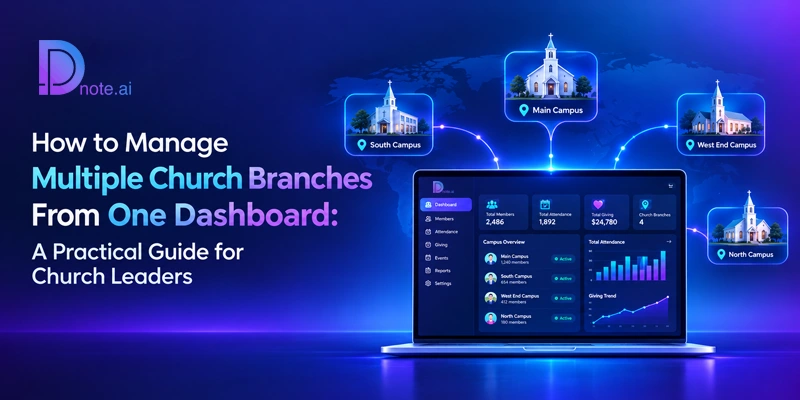
Table of Contents
- Introduction
- What Does It Mean to Manage Multiple Church Branches from a Single Dashboard?
- Why Multi-Branch Churches Struggle Without a Central System?
- What to Centralize and What to Keep Local
- Key Features to Look for in Multi-Branch Church Management Software
- How to Set Up Multi-Branch Church Management: A Step-by-Step Approach
- Governance, Security, and Financial Accountability
- What Central Leadership Should Review in Multi-Branch Reports?
- Common Mistakes in Multi-Branch Church Management
- How Dnote.ai Supports Multi-Branch Churches?
- Conclusion
- Frequently Asked Questions
Introduction
In order to run several church branches from one central location, a church needs a central system that manages member records, contributions, all sorts of data about presence during various events, communications, and also reports while allowing each branch to access only the information it is responsible for. With this approach, the central authorities can obtain a more comprehensive picture, while local ministers and managers stay independent in terms of their decision-making.
Church management that encompasses multiple church branches is not only about computers and high-tech solutions. It is about establishing an efficient link between different church communities, ensuring their accountability, and reducing the burden of documentation on local leaders. The article will identify some of the most common problems, important features of church management software, and the steps to take in order to create one centralized information space for all church branches.
What Does It Mean to Manage Multiple Church Branches from a Single Dashboard?
A church with several branches, campuses, or satellite congregations has many places where information is created: A Sunday register in one city, an offering count in another, and a small group list in a third. Unifying them to a single database is often called multi-campus church management. The data can then be accessed, safely stored, and modified depending on each person’s function.
In practice, the arrangement has three layers:
- The central office sees consolidated information across every branch and sets standards for data, reporting, and access.
- Branch administrators manage the members, attendance, events, and communication of their own location.
- Ministry and group leaders see only the people and activities they are responsible for.
This structure is what separates a unified system from a collection of separate spreadsheets. Everyone works from the same source of truth, but no one sees more than their role requires.
Why Multi-Branch Churches Struggle Without a Central System?
Churches usually add branches faster than they update their administrative tools. Each new location tends to start with its own notebook, spreadsheet, and WhatsApp group, and the differences compound over time.
Records are fragmented. The same family may appear in two branch spreadsheets, or a member who relocates may disappear from the records altogether. The central office cannot answer a simple question such as how many active members the church has.
Reporting is inconsistent. One branch counts attendance by household and another by individual. One reports offerings weekly and another monthly. When reports arrive in different formats, comparing them becomes guesswork.
Giving is difficult to oversee. Offerings, tithes, mission funds, and building contributions may arrive through several bank accounts. Without a shared structure, the central finance team spends its time reconciling figures instead of reviewing them.
Communication drifts. Central announcements reach some branches late or not at all, and local messages are sent without any shared record of who was contacted.
Leadership lacks visibility. Senior leaders hear about problems only after they have grown, because nothing signals that a branch’s attendance is falling or that its follow-up has slowed.
Access is hard to control. Sharing one spreadsheet among many volunteers places sensitive member and financial information at risk.
What to Centralize and What to Keep Local
The most common mistake in multi-branch church management is treating centralization as all-or-nothing. A better approach is to decide deliberately which data and decisions belong at the center and which belong to the branch.
Area | Managed centrally | Managed at branch level |
Member records | Standard fields, data rules, and the master directory | Day-to-day updates for local members and visitors |
Giving | Account structure, fund categories, and financial oversight | Recording local offerings and issuing receipts |
Attendance | Definitions, reporting schedule, and trend review | Taking attendance and following up with absentees |
Communication | Church-wide announcements and shared templates | Local reminders, event notices, and pastoral messages |
Access | Roles, permissions, and removal of former staff | Assigning volunteers within agreed limits |
Reports | Consolidated dashboards across all branches | Reports for the local team and branch pastor |
Writing these decisions down before you configure any software saves a great deal of confusion later.
Key Features to Look for in Multi-Branch Church Management Software
Not every church management software platform handles several locations well. Some are designed for a single congregation and treat branches as an afterthought. When evaluating a church management system, look for the following capabilities.
A Unified Member Database with Branch Assignment
Every member and family should live in one member database, assigned to a branch. The central office can then search across the whole church while branch administrators see their own people. Transfers also become simple: when a family moves, their history moves with them instead of being re-entered.
Branch Church Login and Role-Based Access
Each branch is supposed to have separate logins and administrators, and the system is to provide supporting roles for participatory administrators for distributing work. Role-based access ensures privacy by allowing users to see only what is necessary for them to operate, and it also eases the process of removing access when a volunteer or staff member leaves.
Multi-Account Donation Management
Although branches are often served by different bank accounts, churches always monitor different funds for various purposes, including mission, building projects, and general usage. Your software is to record donations by branch, account, and purpose, providing receipts and summaries. Multi-account donation management gives a reliable picture of the overall situation for the finance department while at the same time enabling the local authorities to report about what they do.
Consolidated Reports and Dashboards
A dashboard should show attendance, giving, engagement, and growth across the whole church and allow leaders to look at one branch at a time. The purpose of comprehensive reporting is to gain advanced knowledge of trends in one location so that intervention can occur.
Church Attendance Tracking Across Locations
A successful attendance monitoring system for a church allows effective data comparison. Ideally, it will be able to accurately track attendance in all locations in the same way, which will produce the same results.
Central and Local Communication
Church-wide communications should be sent simultaneously to all branches, whereas local church leaders will have the ability to follow up with their own reminders and pastoral notes. For example, WhatsApp is used by many communities, especially in India and Africa, so having communications integrated there is a big plus.
Events, Certificates, and Documents
Branches may be providing baptismal and membership certificates, as well as conducting events. A common system will help maintain these records uniform in terms of templates and approvals used throughout the church.
How to Set Up Multi-Branch Church Management: A Step-by-Step Approach
Step 1: Create a schematic description of your structure. Generate a list of branches, each branch’s leaders and administrators, and bank accounts being utilized. Make a note of ministries that operate across branches, such as youth ministries, the worship teams, etc.
Step 2: Agree on data standards. Decide on what details you will maintain for all the members, how their attendance will be defined, and the way to scale the funds and groups. It is the consistent definitions that create trustworthy consolidated reports.
Step 3: Define roles and permissions. Decide on who can view, modify, and export member records and transaction information. Make sure that the branch administrators will have the appropriate access; however, the rights for financial transactions will be strictly limited.
Step 4: Set up your donation structure. Create categories for funds, and connect the accounts of every branch with each fund so that the donations will be placed with the necessary branch and purpose from the first day.
Step 5: Organize your data and transfer it. Collect the hard copies, files, and records from any previous software. Get rid of data duplicates, fix apparent mistakes, and consolidate records prior to the transfer. Church data transfer is crucial since it serves as the determinant of how quickly branches will trust the new data storage and requires expert assistance.
Step 6: Educate branch leaders. Conduct short, practical sessions for each administrator, bringing out the activities they need to perform regularly, such as attendance, giving recordkeeping, and message sending.
Step 7: Create a chain of reporting. Determine the dates to submit the branch reports and the dates the headquarters will examine them. Most churches will find a monthly reporting schedule sufficient in the beginning.
Governance, Security, and Financial Accountability
A single dashboard holds a great deal of sensitive information, so governance matters as much as features. Churches with several branches should consider these practices:
- Apply the principle of least access. Give each person only the permissions their role requires.
- Separate duties in giving. Where possible, the person who records offerings should not be the only person who reviews them.
- Review access regularly. Remove or change permissions when roles change, and check the list of active users every quarter.
- Use secure hosting with backups. Choose church management software hosted in the cloud with automatic backups and protected access, and read its privacy policy carefully.
- Document your policies. Write down who may export data, how long records are kept, and how members can request corrections.
These practices protect members, protect volunteers from unfair suspicion, and build the trust that financial transparency depends on.
What Central Leadership Should Review in Multi-Branch Reports?
More information doesn’t mean more insights. Central leaders can take advantage of the following few sources of information:
• Changes in attendance monitoring by branch and by Sunday service.
• Giving from branches by accounts and funds compared with the number of people attending.
• Number of newcomers and follow-ups highlighting the ability of branches to accept and retain people.
• Participation in small groups indicating the level of membership care and engagement.
• Number of inactive members so that branch pastors can contact them.
• Members’ growth and transfer.
If used in such a way, the dashboard will be an effective church growth tool, as it will help managers send the support, celebrate achievements, and analyze needs for the discussion.
Common Mistakes in Multi-Branch Church Management
Centralization. Branch leaders must seek permission before acting, so they will go back to maintaining their own spreadsheets.
Decentralization. If each branch has its own definitions of the data it collects and reports, then reports produced will have no value due to inconsistent data collection.
Data cleanup. Entering duplicate or conforming records only distributes the issue to a wider audience.
Training. A sophisticated system fails when branch administrators do not know how to operate the system.
Reviewing. A dashboard is only helpful if someone uses it routinely.
How Dnote.ai Supports Multi-Branch Churches?
Dnote.ai is a church and ministry management platform trusted by more than 200 churches and ministries across India, Africa, and beyond. For churches with several locations, the platform includes:
- Branch church login and management. Branches can be managed with their own access, so local teams work in the system while the central office keeps oversight. See the administration features.
- Assistant admin roles and permissions. Users, roles, and permissions can be assigned so that responsibilities are shared safely.
- Multi-account donation management. Offerings, tithes, missions, and building funds can be received and reported across multiple bank accounts and branches.
- Built-in communication. WhatsApp, SMS, and email messaging sit in the same platform as member records.
- Reports and dashboards. Reports cover attendance, giving, engagement, and ministry growth.
- CareCell management and AI-powered attendance. Care groups and attendance analytics help every branch stay connected to its members.
- Migration and onboarding support. Specialists help move records from paper, Excel, or other software, and guided onboarding and training are provided. Contact the team to discuss your branches.
- White-label option. Organizations can apply their own logo, colors, and domain.
Churches that also run missions, partner programs, or Bible colleges can use ministry management software to manage donors and partners alongside their congregations.
Conclusion
Managing multiple branches does not mean the necessity of a complex governing system. What it requires instead is a common framework that entails the same database, clearly defined roles, common terms, and reports that will actually be checked by the leaders. This is possible through proper church management software, which would allow every branch to take care of its flock and at the same time keep all places of worship accountable.
To see how Dnote.ai can support your branches, book a demo or get started today.
Frequently Asked Questions (FAQ)
What is multi-branch church management?
Multi-branch church management is the practice of managing several church locations through one central system. It combines shared member records, giving, attendance, communication, and reporting with branch-level access, so central leaders see the whole church while local teams manage their own people.
Can one church management system handle several branches?
Yes, if it is built for it. Look for branch assignment, branch-level logins, role-based permissions, and consolidated reports. Platforms designed for a single congregation often struggle with these requirements.
How do you keep giving separate for each branch?
Record every contribution against a branch, an account, and a purpose such as missions or a building fund. Multi-account donation management then allows branch-level and church-wide reports from the same data.
Who should have access to the central dashboard?
Usually senior leaders, the finance team, and a small group of central administrators. Branch pastors and administrators should see their own branch, and group leaders should see only their own groups.
How do you keep data consistent across branches?
Agree on standard fields, attendance definitions, and fund names before setup, and train every branch administrator on them. Review the data regularly so that small inconsistencies are corrected early.
Do branches lose independence on a central dashboard?
Not when roles are designed well. Branches keep control of their daily work, while the center sets standards and reviews results. For more answers, visit the Dnote.ai FAQ.
Book a Personalized Demo
Discover how Dnote.ai helps churches and ministries simplify administration, manage donations, stay compliant, and serve their communities more effectively.
Ministry Insights, Delivered Monthly
Practical guides, compliance updates, and church management tips, straight to your inbox.
Trending Posts



More Related Articles
How to Manage Multiple Church Branches from One Dashboard: A Practical Guide for Church Leaders
How to Manage Multiple Church Branches from One Dashboard: A Practical Guide for Church Leaders Managing multiple church branches can be challenging. Discover how church management software helps
What is Church Management Software? A Complete Guide for Pastors and Church Administrators
What is Church Management Software? A Complete Guide for Pastors and Church Administrators Understand church management software, its key features, benefits, and how it helps churches streamline operations
Dnote vs Tithe.ly: Which One Actually Grows Your Church?
Dnote vs Tithe.ly: Which One Actually Grows Your Church? Compare Dnote and Tithe.ly on church management, giving, AI-powered attendance, communication, ministry tools, and member growth. shares Table